


.avif)
Ensure efficient updates as the project develops
Map and modify elements directly in the 3D viewer
Visualize each element and how it is mapped directly within the BIM 3D viewer, improving control, accuracy and modification.
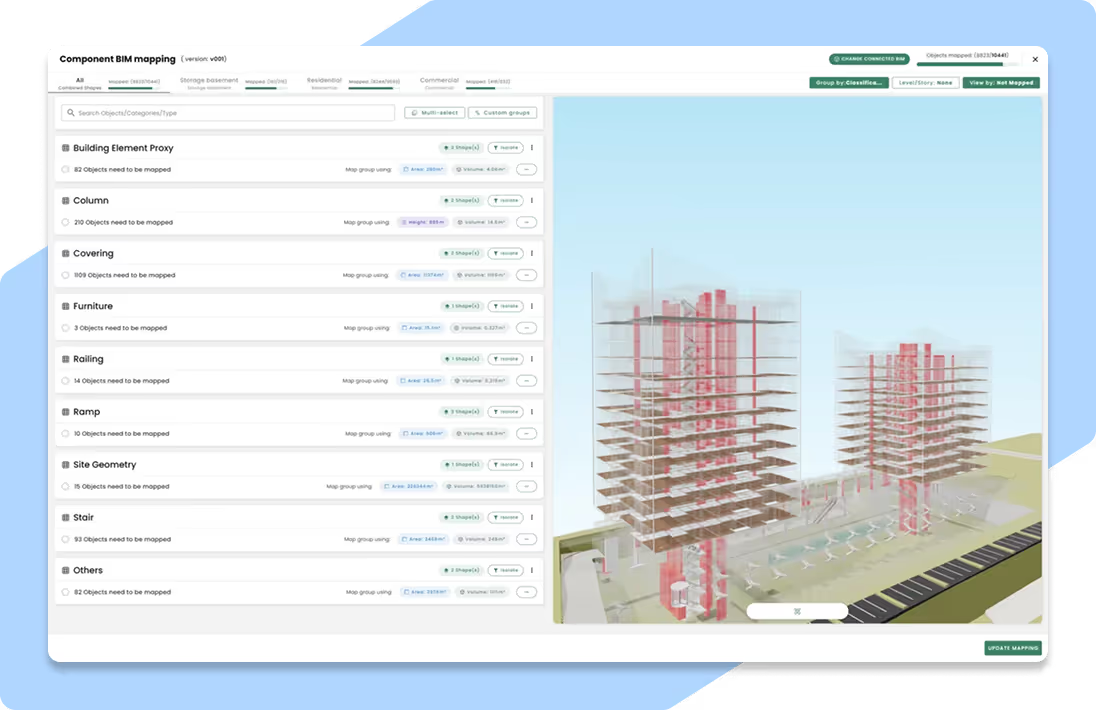

Component-based workflow
Assign materials manually for full control, or use customizable, pre-defined components to speed up mapping and make adjustments easy.
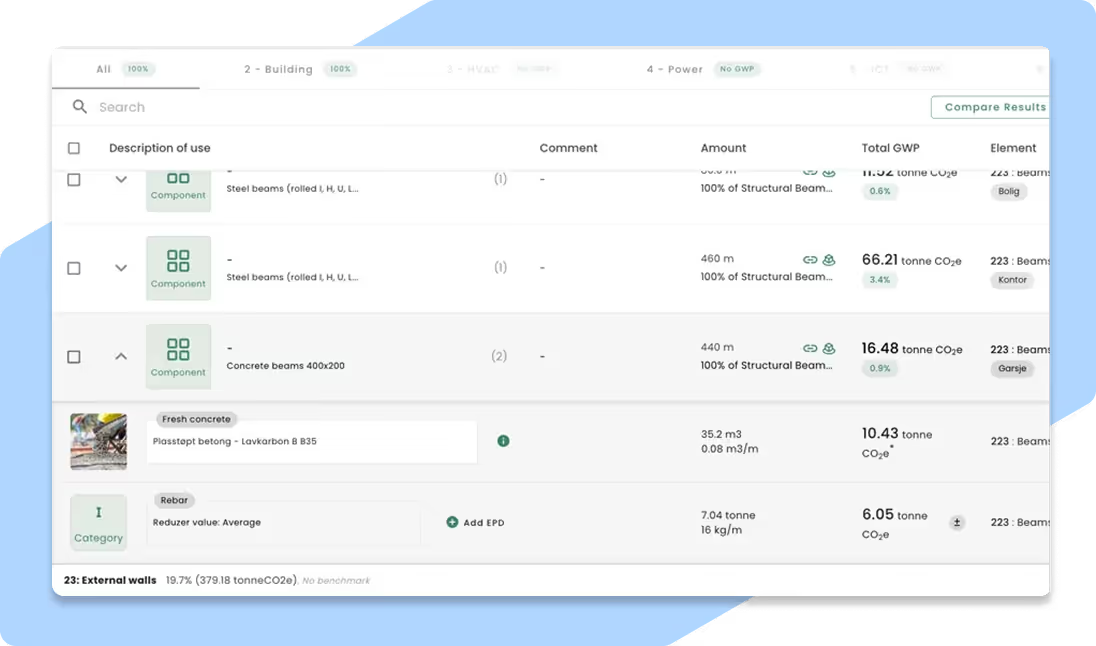
Adjust any detail
Adjust energy sources, wastage, service life, transport distance, calculation methods, generic values, EPDs, reuse, reusability, biogenic uptake, carbonation ... and that's just some of it.
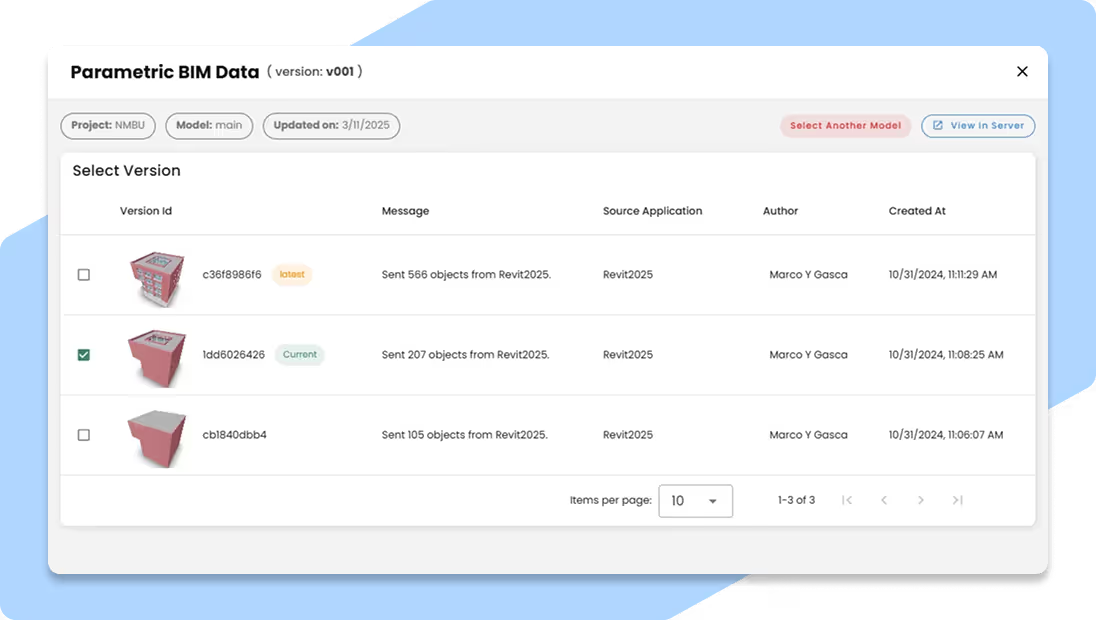
Avoid doing the same calculations twice
Any modification in your BIM model can be automatically tracked in Reduzer through the Speckle plugin, ensuring efficient model updates.

FAQs
How Reduzer works with your BIM model: connecting it, what it reads, and how those quantities turn into carbon.
Get startedConnecting a BIM model directly to our LCA tool simplifies the extraction of material quantities from the model, so the numbers behind the carbon calculation come from the geometry rather than from manual data entry. That cuts calculation time, removes the errors that creep in when quantities are typed by hand, and lets a team test lower-carbon design choices quickly while the design is still developing, so the carbon calculations happen early, where the decisions matter most and it's simpler to influence the outcome of the LCA.
You can connect your model live through Speckle, or upload an IFC file, whichever you're most comfortable with. Reduzer reads the quantities of each building part straight from the model geometry, so they don't have to be entered by hand, and it shows the 3D model alongside the data so you can see exactly what you're looking at. Connected models can also be tracked and updated as the project develops. We recommend reviewing the mapping guidelines to make sure your data comes through correctly.
Reduzer works with any program that can export its model to IFC, and it connects to live models through Speckle for any BIM software that has a Speckle plugin, including Revit, ArchiCAD and Tekla Structures (version dependent). You can bring the model in as an IFC export or a live Speckle connection, whichever your tool supports.
Reduzer turns a BIM model into an LCA through its BIM Mapping feature, which links your uploaded IFC or Speckle model to Reduzer's environmental component library. For each element you choose a component and the measurement unit that fits it (area for slabs, length for beams, count for doors), which filters your 3D elements so you can map them to products or components from the global or your own custom library. Reduzer then translates those physical building quantities, extracted from the model, into a calculated carbon footprint.
When someone issues a revision, you bring the updated model in and Reduzer recalculates the quantities and tells you what changed: what was modified, added, and removed. Each iteration can be kept as its own version, so you can compare the carbon impact of a design change side by side.