


The ultimate LCA platform
Actionable insights for sustainable construction.

Efficient early-stage scenario builder
Automatically generate designs based on the information you have available and choose the most cost-effective that meets the target.
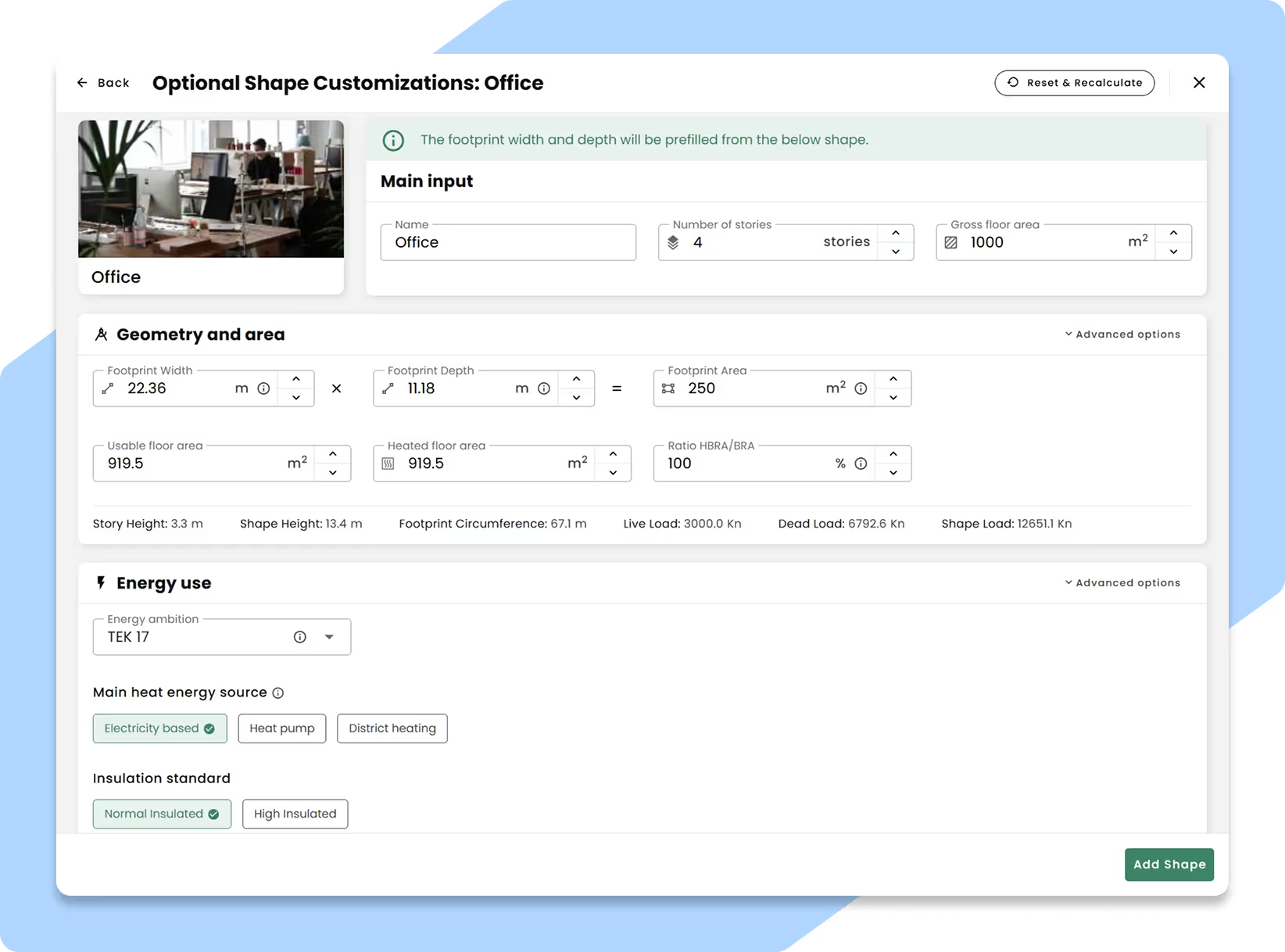
Quickly create scenarios with our Automodel
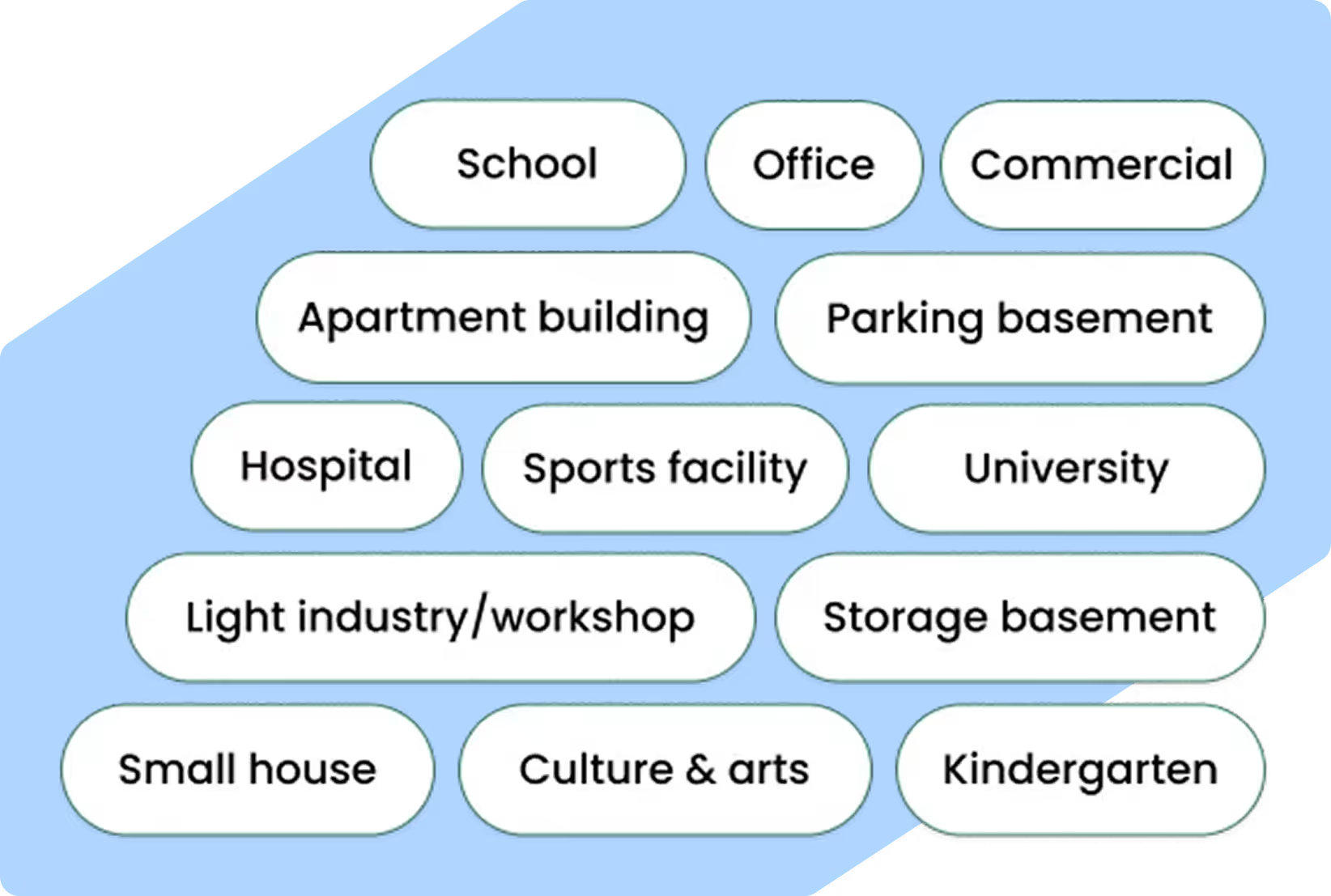
Choose between 13 differet typologies. Typical materials and energy use are automatically added based on the typology you choose.
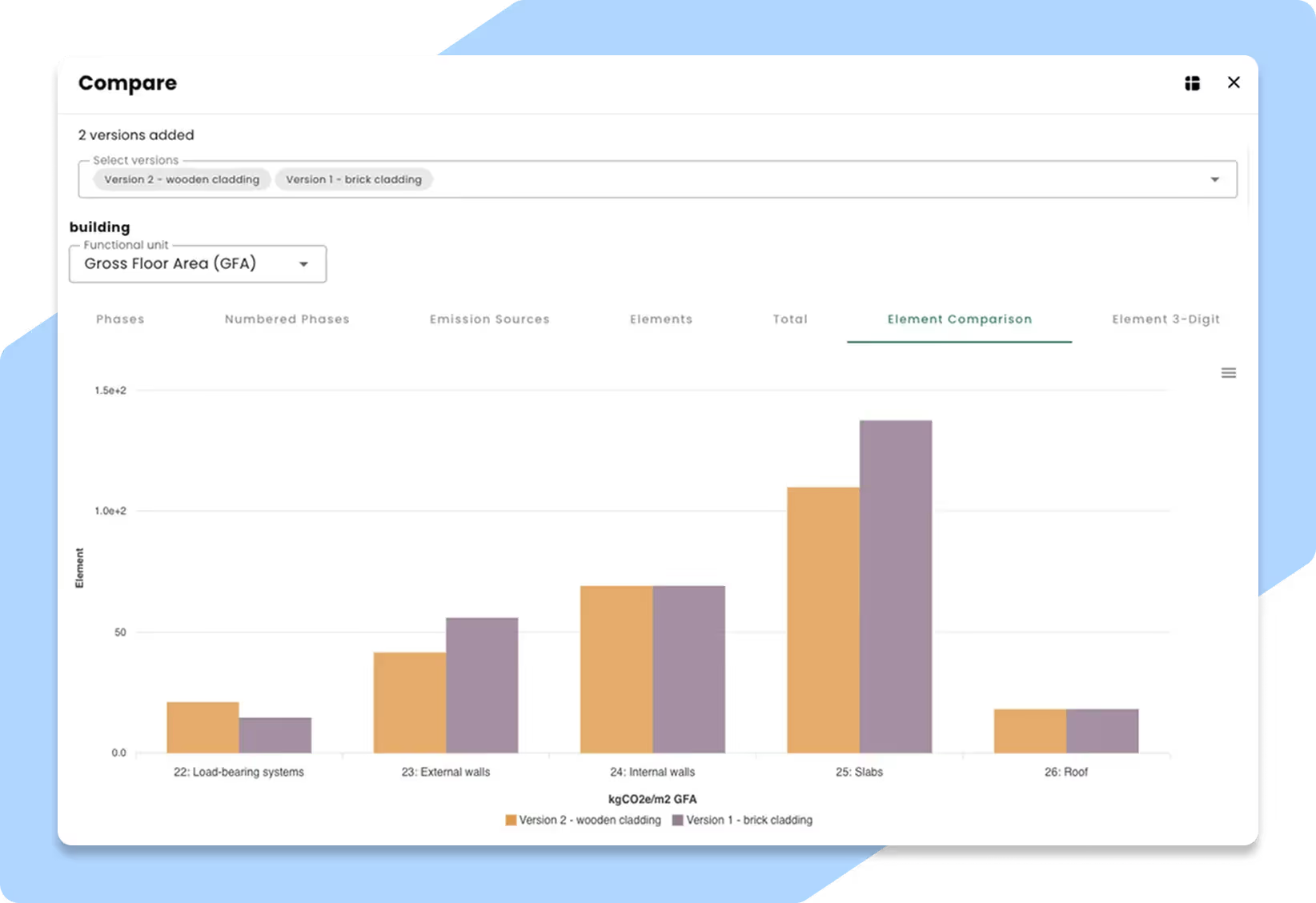
Compare alternatives to find measures
See what actually matters for the CO2 footprint, and find the most cost effective measures to meet your targets
Use your 3D model or keep it simple
Use your BIM model to get more accurate early-phase design. Or just stick to the plain and simple ”shoebox” geometry for quick scenario analysis.
Seamless BIM Integration
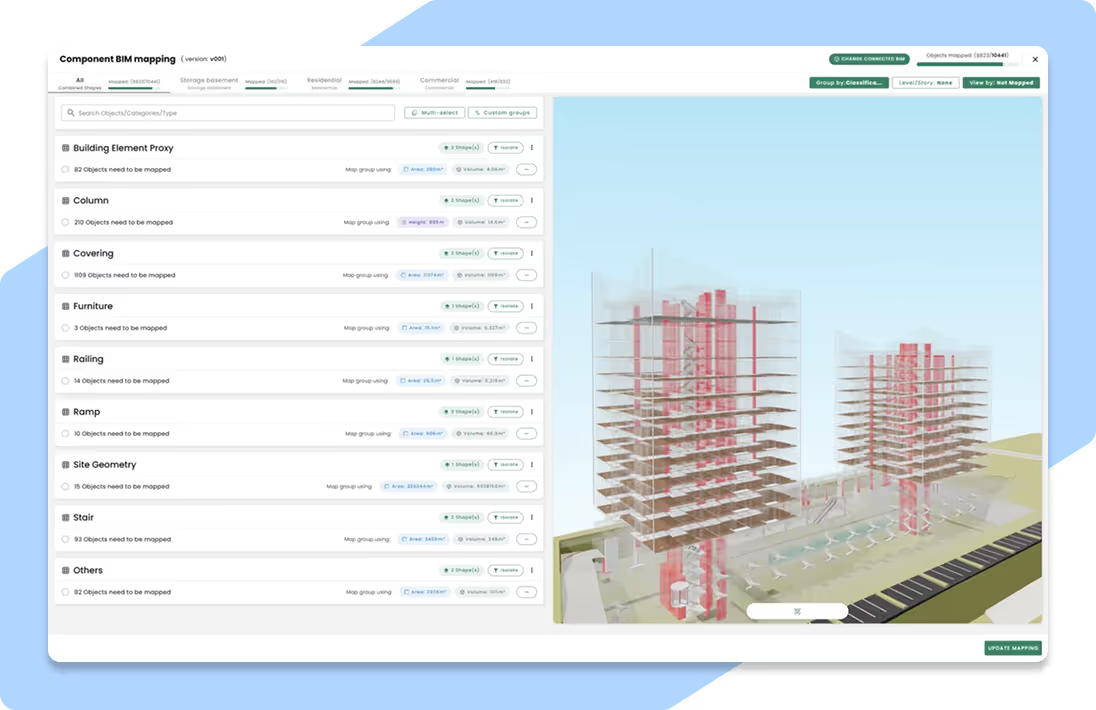
Connect to BIM and map model elements to materials from the libraries. Efficient updates through a plugin.
Map and modify elements directly in the 3D viewer
Visualize each element and how it is mapped directly within the BIM 3D viewer, improving control, accuracy and modification.

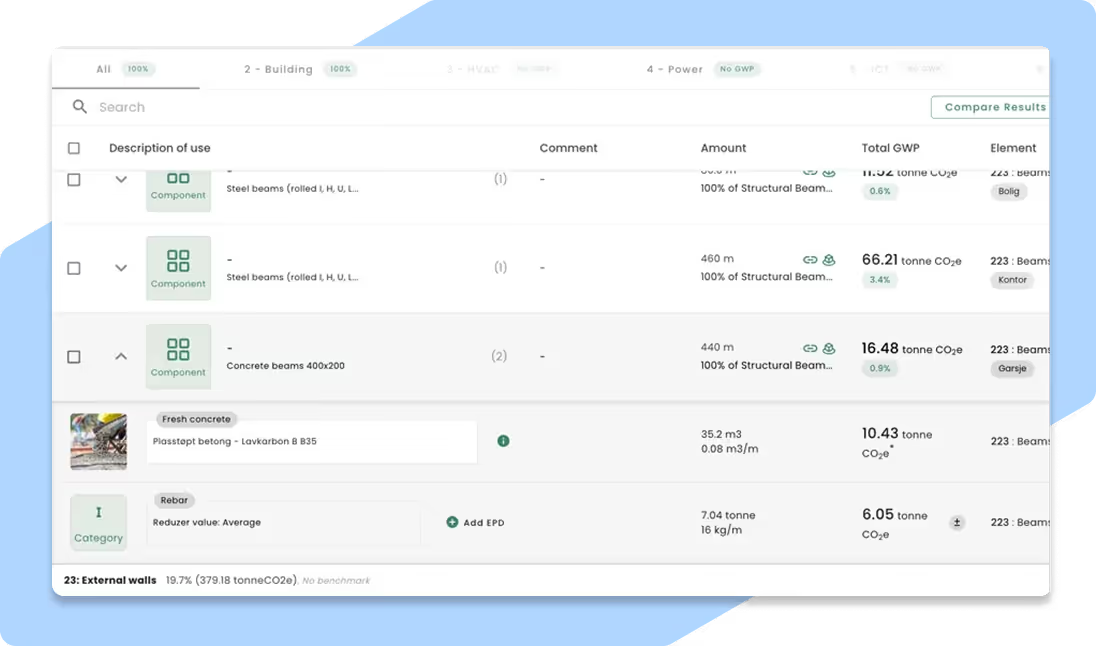
Component-based workflow
Assign materials manually for full control, or use customizable, pre-defined components to speed up mapping and make adjustments easy.
Adjust any detail
Adjust energy sources, wastage, service life, transport distance, calculation methods, generic values, EPDs, reuse, reusability, biogenic uptake, carbonatization ... and that's just some of it.
Verified EPD library
Reduzer gives you access to a curated, quality-checked EPD library, so you can trust the data behind your carbon calculations.
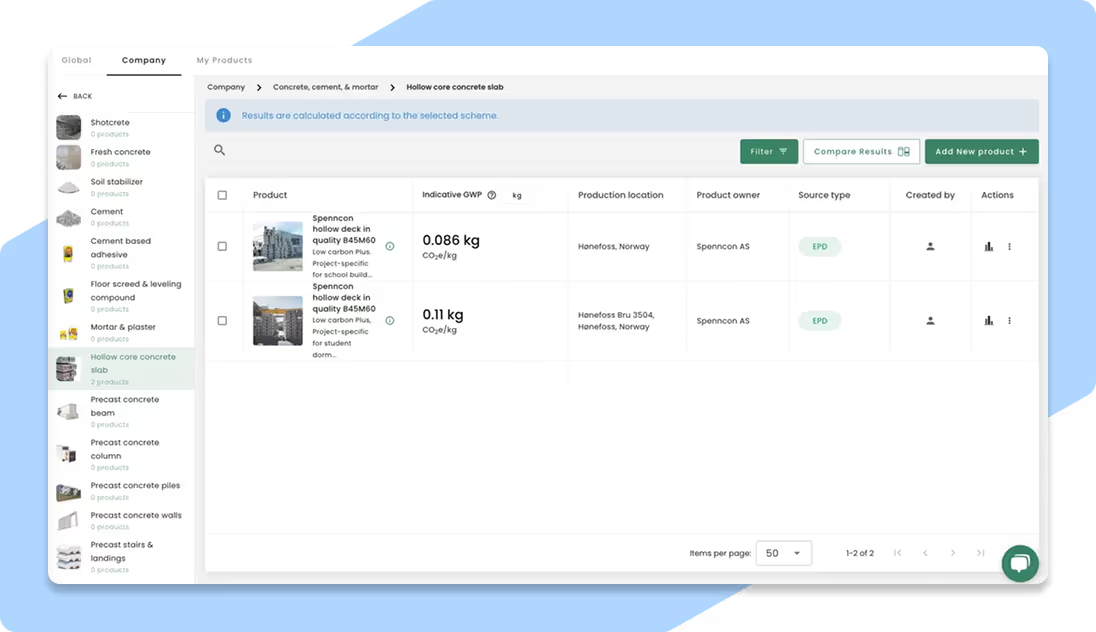
Get instant access to a large EPD database
Reduzer provides a large database of verified EPDs as well as reference values. If you have your own products you frequently use, copy them to the company library and share with your colleagues.
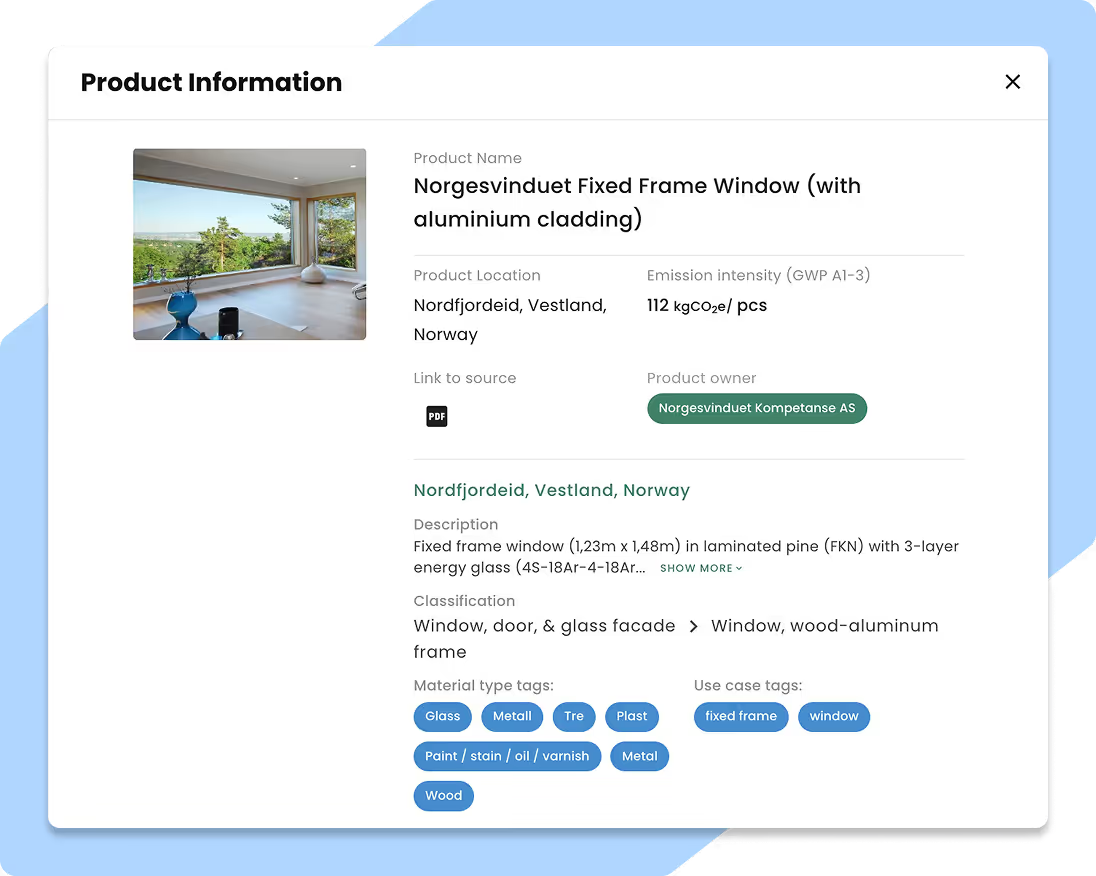
Transparent EPD information
Read more about each EPD and access the original source via the product information card.
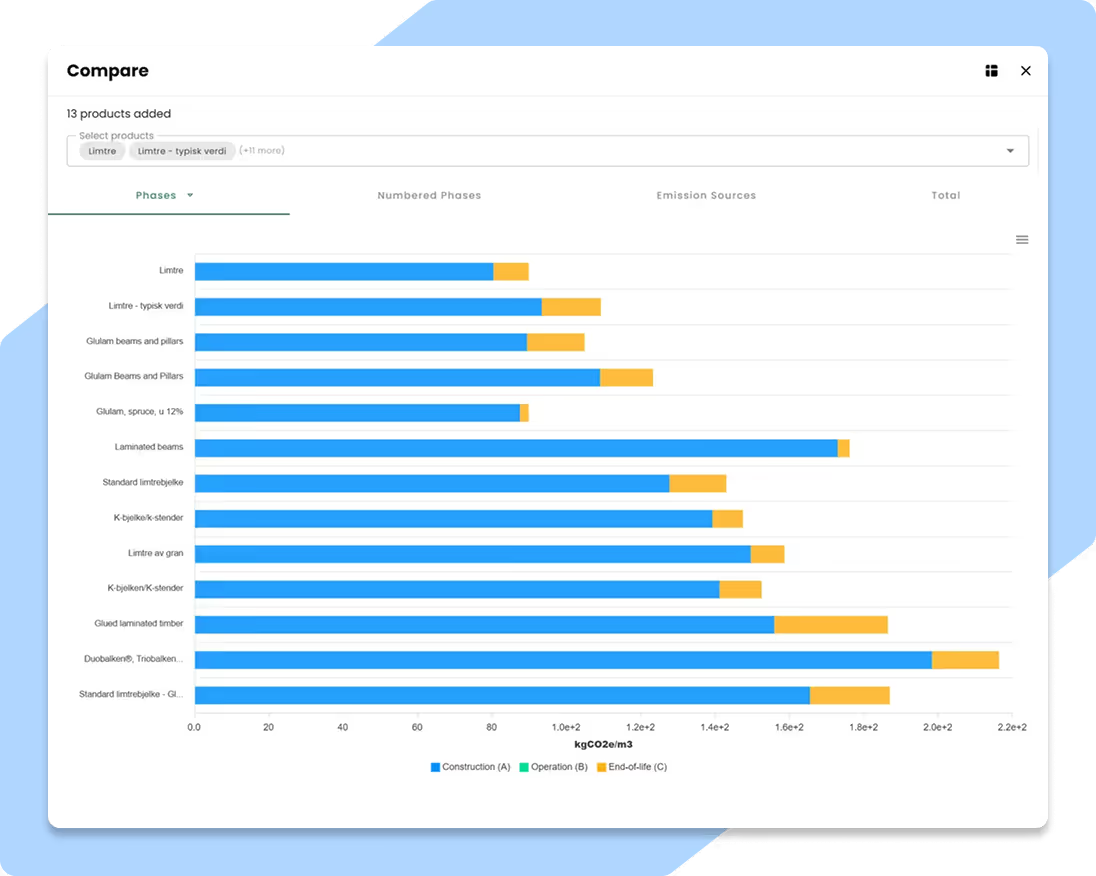
Apple-to-apple comparison of your products
Compare project-specific emissions and make better decisions. Reduzer automatically converts emission intensity to your preferred functional unit, your preferred scheme and with the correct transport distance.
Streamline compliance across all standards
Perform any type of carbon calculation. All environmental schemes and calculation rules are available.
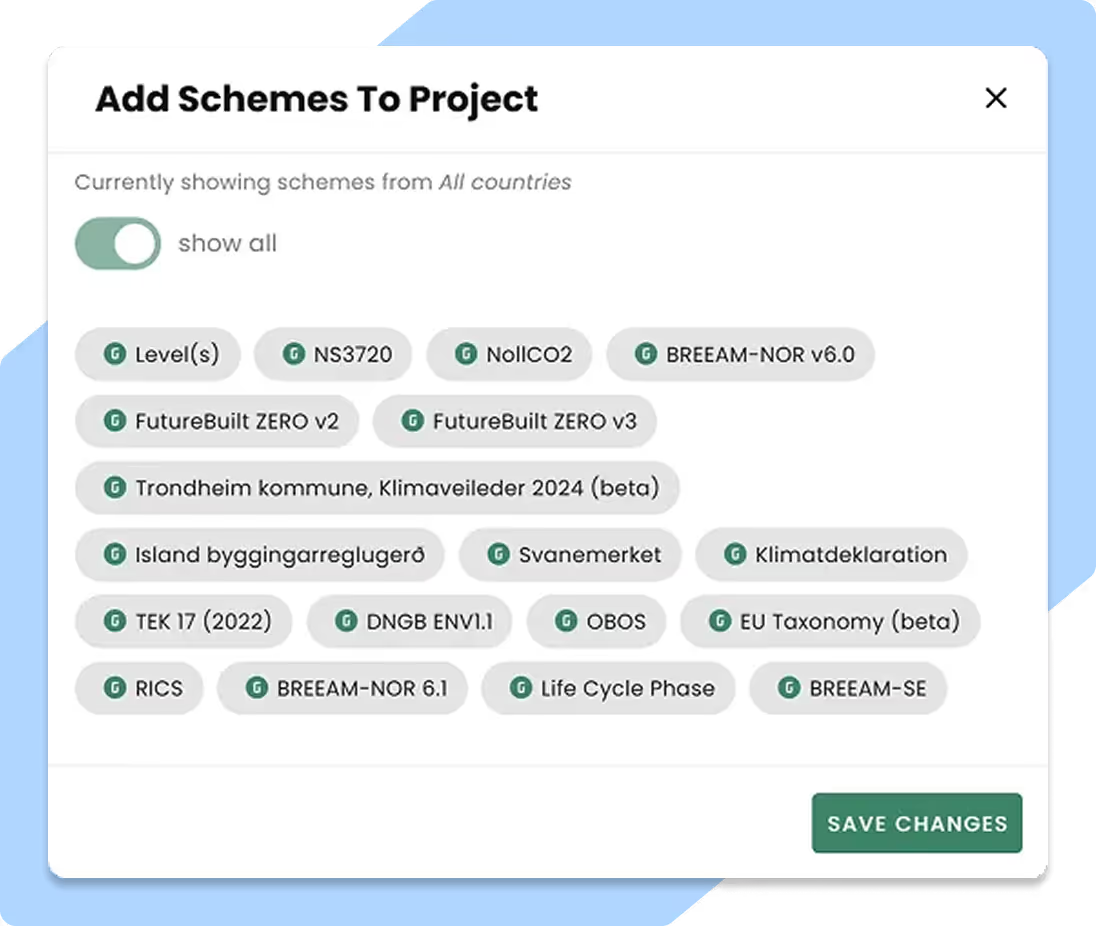
Switch between LCA standards and methods, in the same project
Need to comply with multiple standards and methods in the same project? Use the same bill of materials and switch between schemes to get your result
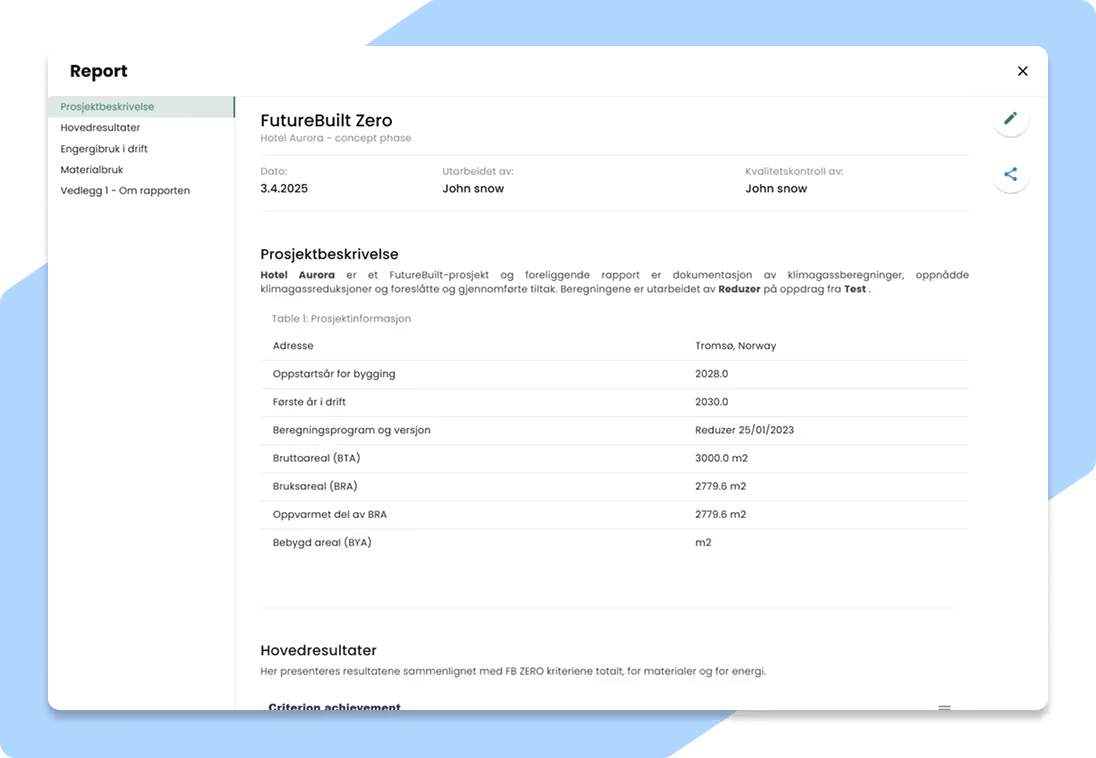
Tailor-made reports for each standard
Utilize pre-made reports that automatically extract the required results for the chosen scheme. Comparison to benchmark is also included in the report.
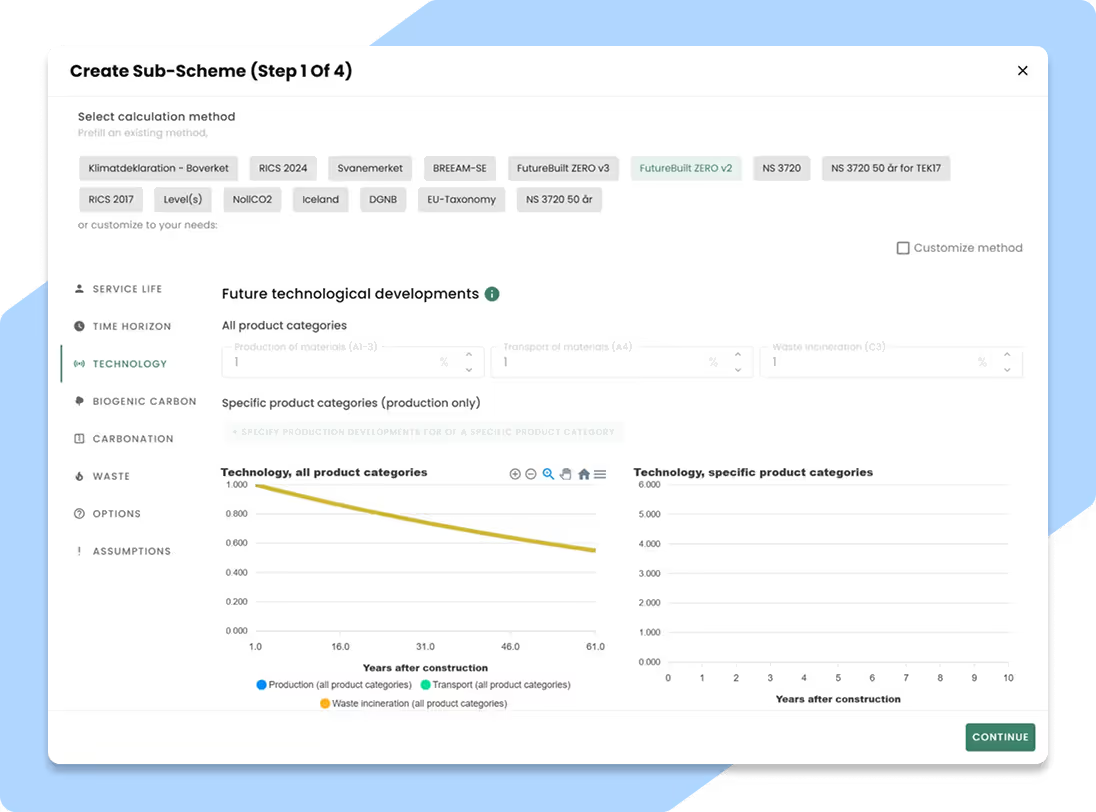
Create your own calculation method
Define custom limits and benchmarks tailored to your project's specific goals or your customer's requirement.
Collaborate effortlessly with your stakeholders
Make live edits, share updates instantly with your team, or provide view-only access to external partners.
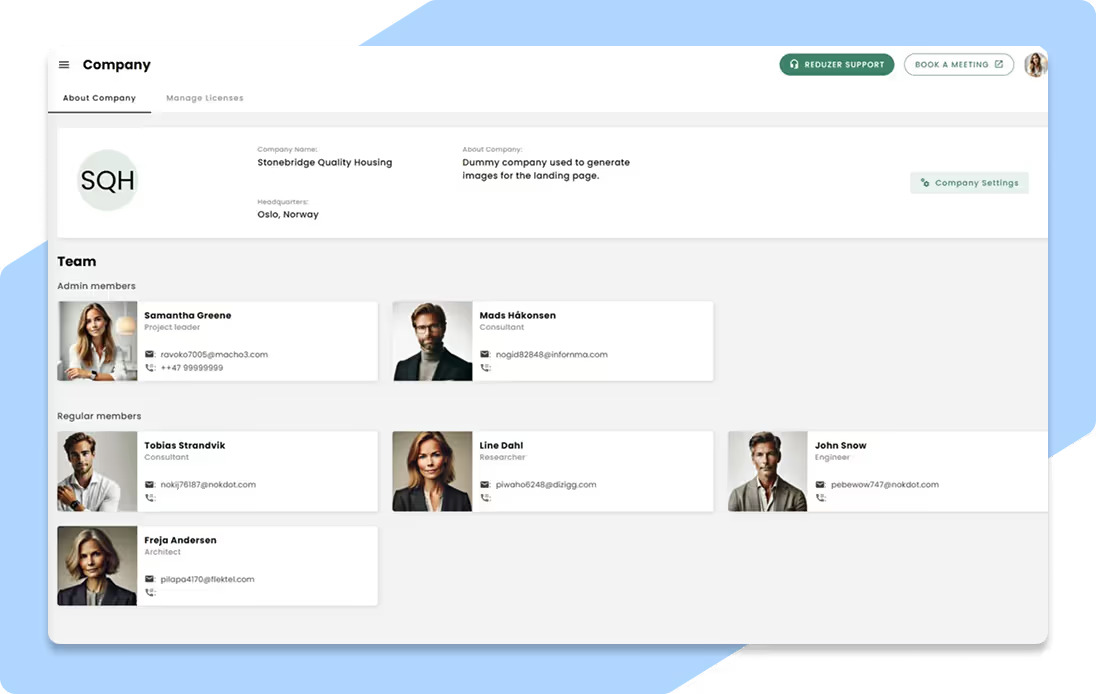
Collaborate with other stakeholders across the project
Invite anyone to your project, both within and outside your company, and manage the access level efficiently.
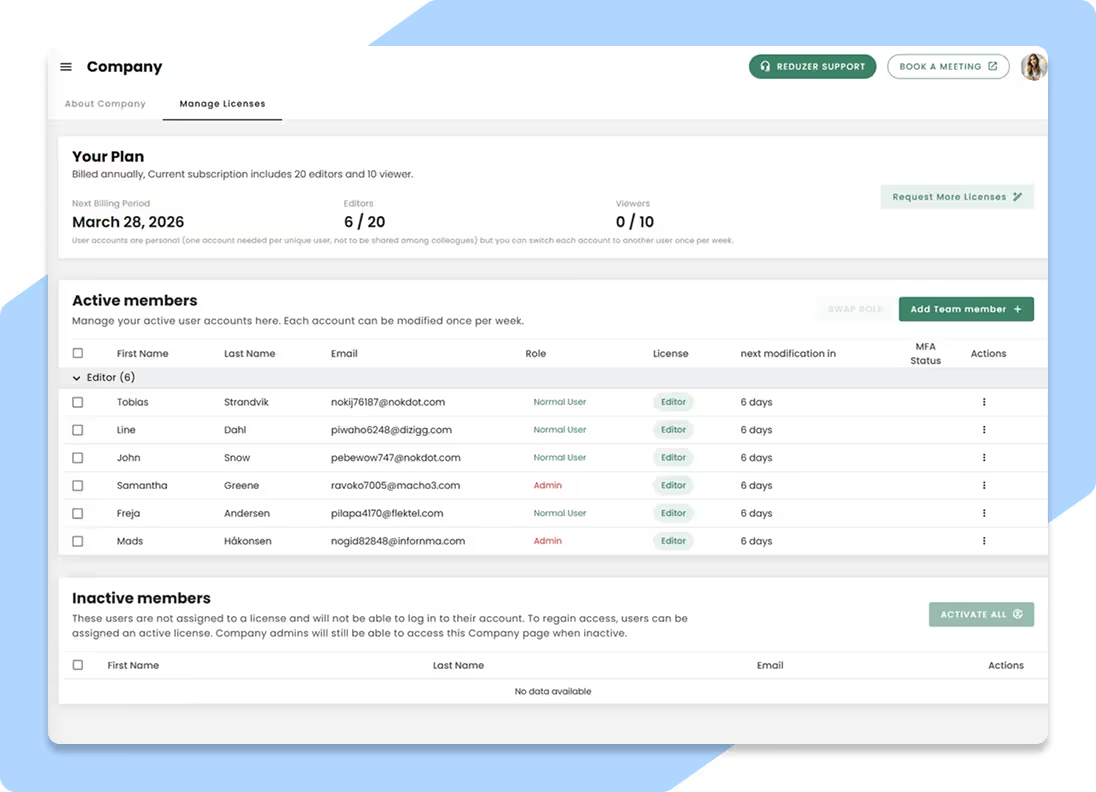
Easily share access to reports
Ensure transparency about carbon footprint calculations and share either reports or the entire project to your clients.
Share the BIM-model easily through a data cloud
Any modifications to the BIM model can be uploaded to Reduzer through the Speckle plugin, enabling a dynamic and collaborative workflow.
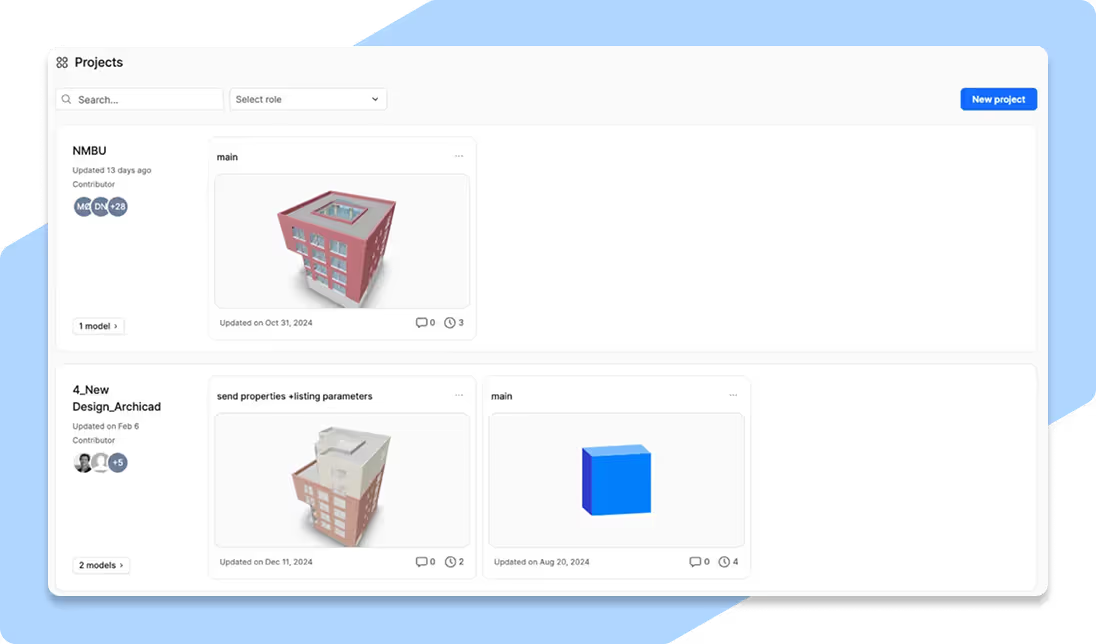
A holistic view of your project portfolio
Are you handling several projects and need a single overview? The portfolio solution facilitates carbon management across your projects.
Easily track your CO2 goals
Monitor your projects in all phases to quickly analyze the progress against strategic climate targets and see how each project affects your goals.
Extensive insights for decision making
Identify deviations, understand emission drivers, and analyze trends across your entire portfolio. Use these insights to make faster and data-backed decisions.
Get accurate benchmarks for future project
Compare early-phase estimates against data from your completed projects. Use this analysis to create accurate carbon budgets and reduce risk in future developments.
Applicable for all construction projects
Streamline LCA across all your projects, regardless of input data.
Follow all your projects from A-Z
Whether it's a new building, a road or a landscape project, Reduzer is able to help you with LCA across all phases.
Capture CO2 data from tenant replacements
Carbon emissions from tenant replacements or smaller renovations are often hidden. Reduzer helps you capture it.
Use the data source you have to perform LCA
Quantities are key to an accurate LCA and the source will vary across projects. With Reduzer you can use the source you have.